Sitting at a desk all day can leave you with stiff shoulders and a sore back, I know that feeling all too well. The good news is that a few simple stretches can do wonders for your posture and energy during those long office hours. I’ve spent years juggling home office ergonomics, and I’ve found that building stretch routines into the workday makes a massive difference. Here’s my take on easy stretches you can try right at your desk to help your body feel more comfortable and stay healthier over time.
TL;DR: Simple desk stretches can help undo the tension that builds from sitting, typing, and leaning toward your screen. Try gentle neck stretches, shoulder rolls, chest openers, seated twists, figure four stretches, and wrist stretches throughout the day. Hold each move for 15–30 seconds, breathe deeply, and repeat every 60–90 minutes to support better posture.
Why Office Posture Matters
When you’re working from a desk, posture often slips without you even noticing. Rounded shoulders, craning your neck toward the screen, and slumping in your chair are super common habits. What happens over time? Muscles get tight, you might feel achy by the end of the day, and sometimes you find yourself with that classic tension headache.
Good posture isn’t about looking perfect in your chair; it’s about keeping your muscles and joints in a healthy alignment so your body can handle sitting for longer stretches with less fatigue. The right stretches help undo that tension and can even boost your focus. Stretch breaks have helped me stay much more productive and comfortable. It’s definitely worth checking out if you’re hunched over a laptop from nine to five.
6 Easy Stretches You Can Do at Your Desk
Stretching at work doesn’t need a gym membership or even leaving your chair. I’ll share a set of easy moves that target the areas most likely to tighten up: neck, shoulders, back, and hips. Doing these just a couple of times throughout your shift can make your workday grind a lot smoother.
- Seated Neck Stretch: Sit up straight and drop your right ear towards your right shoulder. Hold for 20-30 seconds, feeling a gentle stretch along your left side. Switch sides. This helps release built up neck tension from looking at screens or phones.
- Shoulder Rolls: Roll your shoulders up, back, and down in a slow, controlled motion. Do this 5-10 times in each direction. It gets blood flowing and loosens tight shoulder muscles.
- Chest Opener: Clasp your hands behind your back while sitting or standing. Gently lift your arms and open your chest. Hold for several breaths. This combats the forward hunch most people develop at their keyboards.
- Seated Spinal Twist: Sitting tall with feet flat on the floor, place your right hand behind your chair and left hand on your right thigh. Gently twist your upper body to the right, hold for 15-30 seconds, then switch sides. This helps relieve spine and lower back tension.
- Seated Figure Four Stretch: Cross your right ankle over your left knee, keeping your back straight and chest lifted. Gently press your right knee down a bit (never force it). Hold for 20-30 seconds to loosen tight hips. Repeat on the other side.
- Wrist and Finger Stretch: Extend one arm forward, palm up, and gently pull back on your fingers with the other hand. Switch sides. This is really helpful for anyone typing a lot or using a mouse all day.
If you’re new to stretching, just keep it gentle—nothing should hurt—and breathe deeply as you move. I like to set a reminder on my phone every 60-90 minutes to do a couple of these. It makes a huge difference in how I feel by the end of the day.
How Proper Stretching Supports Your Posture

It’s easy to think of stretching as just a quick fix for stiffness, but it actually helps with long-term posture too. Stretching increases blood flow, improves flexibility, and can re-train your body to sit and stand straighter. Over time, you’ll probably notice you sit taller without even trying, which decreases the odds of nagging neck or back pain cropping up.
I’ve found that stretching isn’t just about one specific muscle, it’s about helping your body work as an interconnected system. When your upper back and chest are less tight, it’s easier to pull your shoulders back. Stretch your hips, and sitting upright doesn’t feel like such a chore. Linking a few stretches together is a pretty handy way to hit a reset and help your body feel more energized, even if you’re working tough deadlines.
Troubleshooting Common Office Posture Problems
Even with good stretches, office posture can be tricky to manage. Here are some everyday office posture issues I see, along with stretches or small fixes that help a lot over time:
- Tight Hips: Too much sitting can cause hip flexors to get short and tight, which pulls your pelvis and spine out of balance. That Seated Figure Four move and occasionally standing up to walk around, even just for a minute, are both super helpful.
- Rounded Shoulders: Hunching over your laptop or papers? Try the Chest Opener and Shoulder Rolls a few times every day. You’ll train your shoulders to relax and settle back into better alignment.
- Low Back Stiffness: The Seated Spinal Twist and standing up to arch your back are simple ways to release lower back tension.
- Stiff Neck: The Seated Neck Stretch works well, and adjusting your screen so it’s at eye level helps keep your neck happier for longer.
I always encourage people to listen to their bodies. Anything that feels sharp or painful isn’t right—ease up and try something different. Little adjustments each day add up over time.
4 Quick Tips to Build a Daily Stretching Habit

Making stretching a regular office habit doesn’t have to be complicated or take up lots of time. Here’s how I fit stretches into my own day and what I’ve found works for others too:
- Set a Reminder: Use your phone, smartwatch, or a sticky note to nudge you every 60-90 minutes. Just a two-minute stretch break is better than none.
- Pair a Stretch With a Routine Task: I always do a couple of shoulder rolls or a neck stretch while I’m waiting for the coffee to brew or during a quick meeting lull.
- Stand Up When You Can: If you’re on a call or brainstorming, take advantage of the time to stand up or walk, getting in a few standing stretches on the spot.
- Track Your Energy: Take note of how you feel before and after stretching so you stay motivated. Most folks notice they’re more clear-headed and comfortable after stretch breaks.
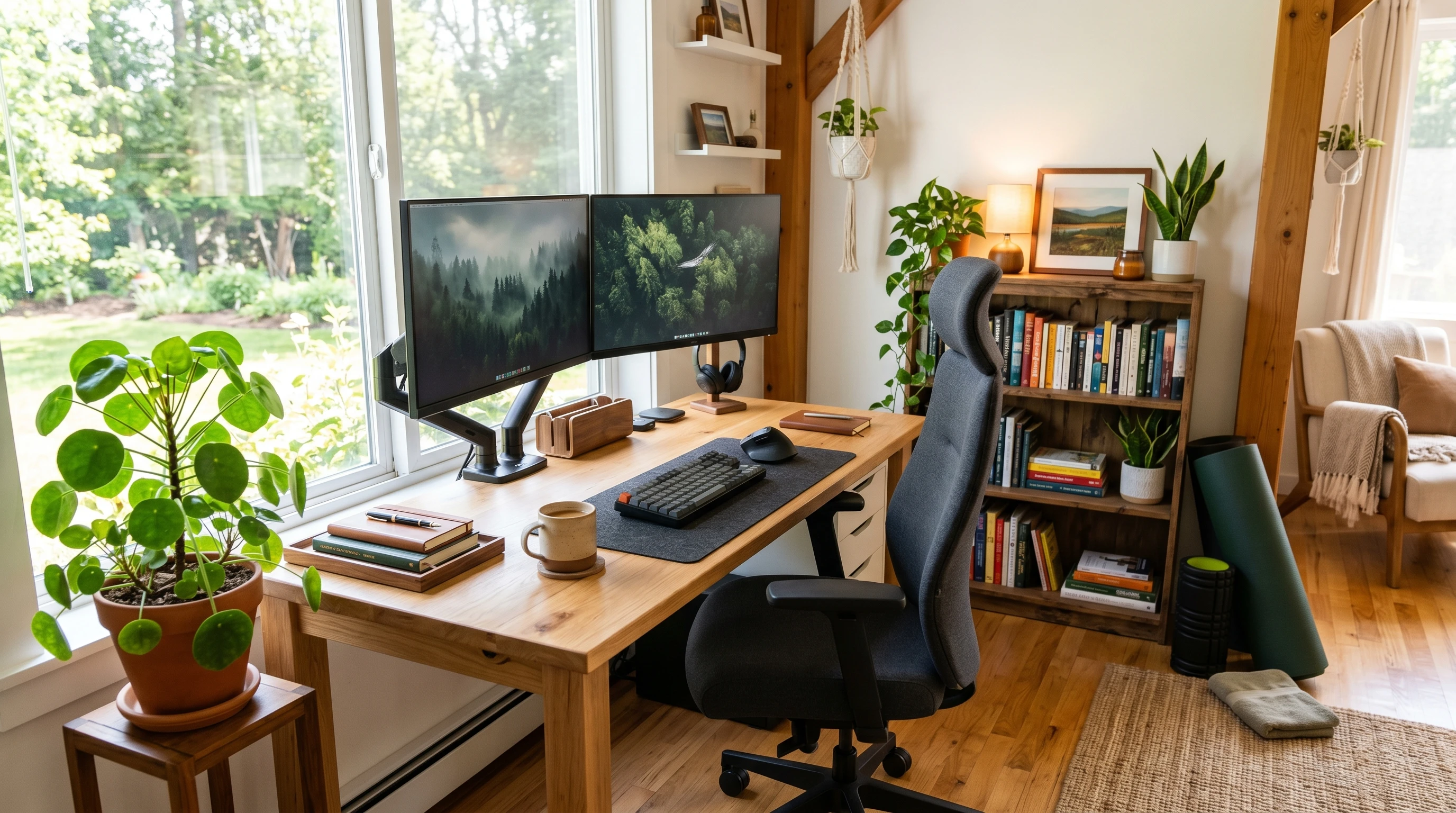
If you work from home, setting up your workspace so you can move around makes things even easier. I like to keep my stretch area clear and maybe stash a foam roller next to the desk as a visual cue.
Best Ergonomic Support to Pair With Office Stretching
Stretches are great, but they work even better when you have ergonomic basics sorted out. Here are a couple of simple upgrades that have made my own desk setup way more comfortable:
- Adjustable Chair: A chair with good lumbar support helps you sit taller and reduces spinal fatigue. Even a folded towel or small pillow behind your lower back can work in a pinch.
- Monitor at Eye Level: Raising your monitor with a stand or some books so your eyes hit the top third of the screen takes the strain off your neck.
- Desk at Elbow Height: Having the desk surface roughly level with your bent elbows prevents you from reaching up or hunching down, cutting out shoulder and wrist pain.
- Foot Support: If your feet don’t rest flat on the floor, a footrest or even a firm box can help with circulation and hip comfort.
Combining basic ergonomic upgrades with easy stretches is a smart way to protect your body and keep your energy up, especially on demanding days.
Frequently Asked Questions
Here are answers to some of the most common questions I’ve gotten about stretches and posture at the office:
Question: How often should I stretch during the workday?
Answer: Aim for a stretch break every one to two hours. Even just a pair of stretches, like neck rolls and a chest opener, can make a difference if you’re short on time.
Question: Can stretching really improve my posture long-term?
Answer: Yes, regular stretching plus better ergonomic habits help retrain your body. Over time, you’ll likely notice you sit and stand taller with much less effort.
Question: What if my office setup can’t be changed?
Answer: Even in a basic setup, you can adjust your sitting position and get a lot of benefit from stretches throughout your shift. Try to improvise with what you have, using a rolled-up towel as lumbar support or balancing your laptop on some books to improve your screen height.
Question: Are there stretches to help wrist pain from typing?
Answer: Wrist and finger stretches, like gently pulling back on your fingers or flexing your wrists, help relieve tension built up from typing and mouse use.
Final Thoughts: Keep Your Body Moving
Good office posture isn’t about sitting perfectly still. It’s about moving and stretching just a little bit more each day. I’ve found that adding simple stretches and quick breaks makes work a lot more comfortable, and can really brighten your mood and energy as well. It’s always worth making your workspace work for you, not the other way around!
If you’re curious about more ergonomic tips and ways to keep your body happy while you work, check out the rest of the site or reach out to the friendly desk ergonomics team here. Keeping movement as a regular part of your office life is one of the easiest and most effective ways to set yourself up for success.
For those looking to make desk stretches a true habit, consider bringing a friend or coworker into the mix. You can remind each other to get moving and maybe even boost team morale. Plus, remember to check in with your own body by asking how you’re feeling every few hours. These small moments of body awareness can add up over time. Remember, staying sharp at work isn’t about rigidity—it’s about movement, comfort, and little steps that guide you toward better health throughout your workdays.
If you’ve implemented these stretches or have a comment about simple exercises for office posture, please share below.