
If you spend hours at your desk every day, finding the right ergonomic chair makes a world of difference for how you feel at the end of your workday. I’ve dealt with the aches and pains from bad seating before realizing just how effective a good ergonomic chair can be for easing tension and keeping my focus on work, not on discomfort. Picking the right chair for your office means paying attention to a few important features and matching them to your body and work style. Let’s discuss how to choose the best ergonomic chair for your office or home workspace.
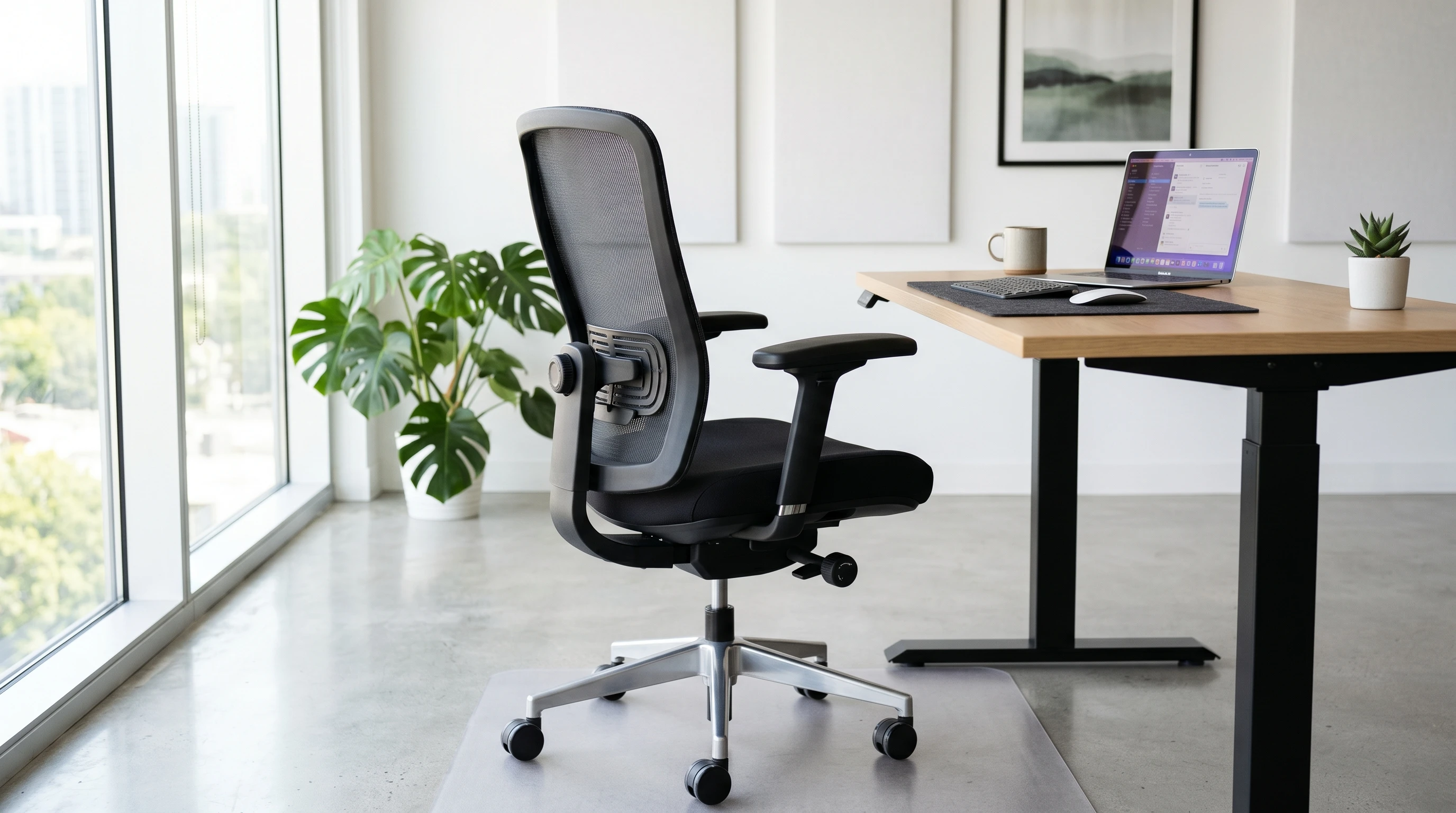
TL;DR: How to choose the best ergonomic chair for your office. Choose one that fits your body, desk, and daily work style. Look for adjustable seat height, lumbar support, armrests, seat depth, and backrest tilt so you can sit with your feet flat, knees near 90 degrees, and lower back supported. Breathable material, smooth casters, and a good return policy can also make your chair easier to use.
Ergonomic chairs aren’t just trend pieces. They’re designed to support your body’s natural shape, making your workspace more comfortable and less likely to cause you problems over time. A good ergonomic chair helps to reduce lower back pain, neck strain, and even wrist fatigue. According to research from the Occupational Safety and Health Administration (OSHA), proper ergonomic setup helps reduce chronic pain and workplace injuries. That’s not just a win for your body, but also for keeping your productivity up.
With remote and hybrid work setups on the rise, it’s pretty common to use home furniture as part of an office setup. But as I quickly learned when starting out, there’s a clear difference between a simple dining chair and a quality, supportive office chair. Investing in the right chair is one of the easiest ways to make your office healthier and more productive.
7 Main Features to Look for in an Ergonomic Office Chair
Jumping into the world of ergonomic office chairs, you’ll see a ton of features thrown around: mesh backing, lumbar support, all sorts of adjustments. It can be confusing if you’re new to this, so here’s a simple breakdown of 7 chair features that really make a difference:
- Adjustable Seat Height: You want a chair where you can set the seat so your feet are flat on the floor and your knees are at about a 90-degree angle. This supports your hips and keeps circulation moving.
- Lumbar Support: Lower back support is one of the most important things in a good ergonomic chair. Look for chairs with adjustable lumbar support so you can move it to fit the curve of your back.
- Seat Depth and Width: Everyone’s body is different. A seat that’s too short or narrow is uncomfortable over time. You should be able to sit back with about 2–4 inches between the edge of the seat and the back of your knees.
- Adjustable Armrests: Armrests that move up, down, and ideally deeper or wider help support your arms so your shoulders can relax.
- Backrest Tilt and Tension: The tilt lets you recline a bit, which is good for moving around during the day. Tension lets you set how much resistance you want when leaning back.
- Breathable Material: Mesh backs and seats are helpful, especially if you work in a warm room. They keep airflow moving and make longer sitting much more comfortable.
- Swivel and Casters: Being able to move around easily without straining is helpful, especially if you have a larger workspace.
Some office chairs also include extras like built-in coat hooks or easy to clean materials. These small details can make daily use more practical and enjoyable, so pay attention to those too if they matter to your workspace.
Getting Started: 6 Steps for Picking the Best Ergonomic Chair

Narrowing down your options and knowing what to test is pretty handy for finding the right chair. Here’s how I approach chair shopping:
- Measure Your Space: Make sure you know how much room you have for your chair, along with the dimensions of your desk.
- Check Your Needs: Make note of any chronic aches, height or size preferences, or features you know you’ll want such as a headrest or extra seat cushion.
- Set a Budget: Ergonomic chairs come in a huge price range. Figure out how much you’re comfortable spending. Remember, this can be a long-term investment in your health.
- Try Before You Buy: If you can, sit in a chair before purchasing. Pay attention to how it supports your back, legs, and arms. If you’re buying online, look for generous return policies.
- Check Adjustability: Make sure it offers the right amount of movement in height, lumbar, seat, and arms. The more ways you can adjust, the better you can dial in your comfort.
- Read Reviews: I always scan reviews from people with a similar body type or needs. That offers real-world insight you just can’t get from a product photo.
A chair that feels great for me might not feel as good for you, so being able to adjust things is super important. Even between models from the same brand, not every chair will be equally comfortable for people of different sizes or proportions.
Practical Challenges and What to Watch Out For
Choosing an ergonomic chair isn’t always straightforward, and I’ve run into a few bumps along the way that you might want to keep on your radar:
- Assembly: Some ergonomic chairs arrive with lots of parts and unclear instructions. Planning some time for setup, or checking if assembly service is available, helps you avoid frustration.
- Weight Capacity and Sizing: Not all chairs fit every body type well. Double-check weight capacity if you’re on the taller or heavier side, and pay attention to seat width and depth numbers in product listings.
- Not Enough Adjustability: Some chairs look good but only have one or two settings to change. The more you can adjust, the more likely it’ll work for you long term.
- Return and Warranty Policies: Ergonomic chairs can be an investment, and sometimes what shows up in a box just doesn’t feel right after a week of use. Knowing your return options or warranty coverage gives you peace of mind.
Assembly Tips
Having a second pair of hands makes assembly go quicker and reduces the risk of missing a step. Most brands post instructional videos online, so I always check for those before starting. Keep all your hardware and tools organized for quick access. Checking that you have all the screws and pieces before starting can save time and headaches later on.
Finding a Good Fit
When browsing, I check if the chair recommends a height range. This isn’t always clear in ads or listings, but it really matters if you’re particularly tall or petite. Checking user reviews by people who mention their size often saves me from a bad buy. Also, some stores will let you try different chairs in person, which is a great way to get a sense for what works best for your frame and seating preferences.
Advanced Ergonomic Features Worth Checking Out
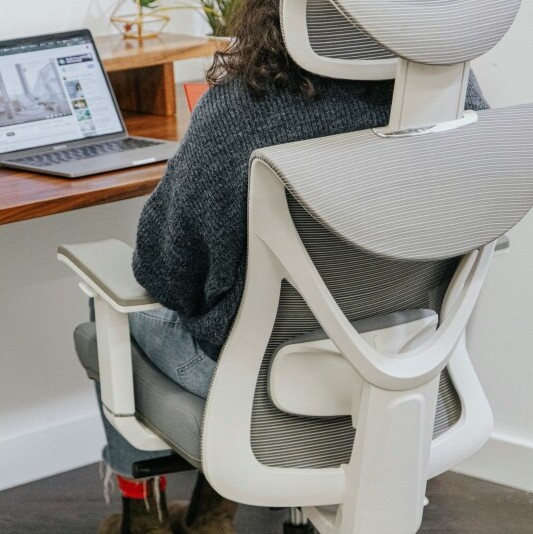
Some ergonomic chairs offer cool features that can make a long workday even easier. These extras might not be necessary for everyone, but I find they’re worth considering if you want a fully loaded seat:
- Headrests: Useful for supporting your neck and head, especially during breaks or when you recline. Adjustable headrests help reduce tension in your upper spine.
- Adjustable Seat Tilt (Forward Tilt): This feature lets you tilt the seat pan forward, which can help you sit more upright and keep moving throughout the day.
- 4D Armrests: These armrests move up/down, left/right, forward/back, and can rotate. Really helpful if your desk setup is customized or you switch tasks often.
- Memory Foam Padding: If you’re after extra comfort, some ergonomic chairs use memory foam in the seat and backrest. This is handy for all-day sitting.
- Eco-friendly Materials: Chairs with recycled or sustainably sourced materials are becoming more common and are worth checking out if you care about the environment.
Other features, such as built-in massage or heating elements, are now seen in higher-end chairs. While not necessary for everyone, these can step up everyday comfort, especially if you experience regular back or muscle discomfort. Just be sure to read authentic user reviews before paying a premium for these upgrades.
What Makes a Chair Truly Ergonomic in My Experience?
I’ve tried lots of office chairs over the years, both in traditional workplaces and while working at home. What I noticed is that a real ergonomic chair isn’t about fancy looks or having every extra feature. It’s about adjustability and how it feels during long stretches at the desk.
For example, one chair I used looked modern but didn’t have a seat that could lower enough for my shorter legs. I’d end up with numb feet and strained thighs. Swapping to a chair with more adjustments let me keep a neutral position, and I felt a big difference even after the first week. If you spend long days working at a computer, being able to adjust your chair to your height, desk, and preferred posture is really important.
- Daily Use: I noticed fatigue set in much slower after switching to a chair with better lumbar and arm support. Less shifting around meant I stayed more focused and got through work quicker.
- Working with Others: If you’re sharing an office chair with someone else at home, features like quick height adjustment or movable lumbar support are great. One chair can feel right for both people, even if you’re different heights.
It’s often worth spending a bit more for a chair that gives you the range of adjustments you’ll actually use. And if you start to feel discomfort after any change in your workspace, taking time to readjust your chair can do wonders over time.
Frequently Asked Questions
Here are a few questions I often hear from people setting up or upgrading their office chairs:
Question: How high should my chair be for the best ergonomic posture?
Answer: Your seat height should let your feet rest flat on the floor, with your knees level to or a tiny bit lower than your hips. Start by raising or lowering your chair and checking if your thighs are parallel to the floor. If your feet dangle, use a footrest, and adjust so your arms are at 90 degrees when typing.
Question: Is a meshback chair better than a traditional padded one?
Answer: Both can work well. Mesh backs keep you cooler, which is handy in warm rooms, while padded ones feel cushier. Just make sure whatever you pick still gives you good lumbar support. Some people find mesh seats less comfortable over hours of use, so that’s worth considering based on your workday length.
Question: How much should I spend on an ergonomic chair?
Answer: Decent ergonomic chairs start around $150, but higherend models can easily go over $1,000. Set a budget first and look for options that hit the main points (adjustability, lumbar support, comfort). You don’t always need the fanciest brand to get a supportive seat. Try to test chairs in person if you can, and remember to scan user reviews for feedback from people with similar needs.
Your Office, Your Comfort: Final Thoughts from Experience
Finding the best ergonomic chair for your office is all about matching features to your work habits and your body type. Paying attention to key details like adjustability, lumbar support, and fabric goes a long way in avoiding discomfort. Once you dial in your chair, you’ll notice improvements in your posture, energy, and even your mood throughout busy days.
Whether you’re revamping your home office or setting up a work-from-home space for the first time, choosing an ergonomic chair is one of the biggest upgrades you can make for your daily well-being . Feel free to ask for advice, try out a few options, and settle on a chair that genuinely gives you a boost every day.
If you are shopping for the a new ergonomic chair for your office or home workspace, or if you wish to comment, please share below.